Citizen Systems Hardware

Citizen Printing Hardware for POS, Logistics and Industrial Labeling

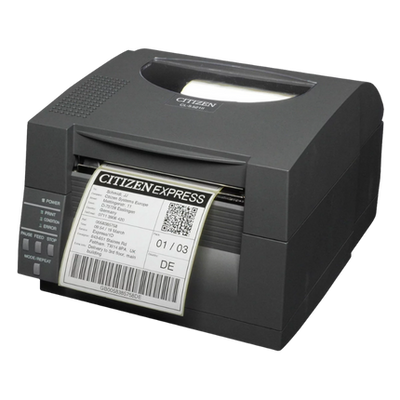
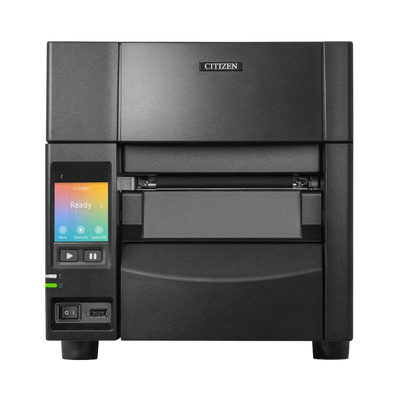
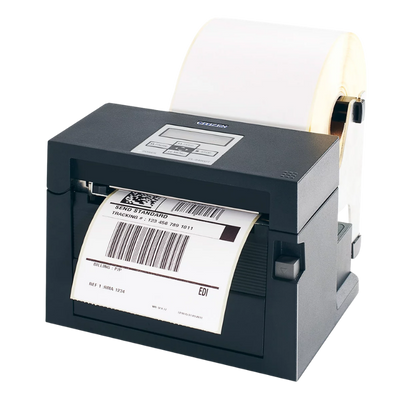
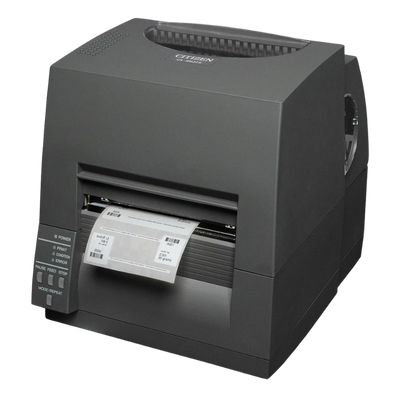
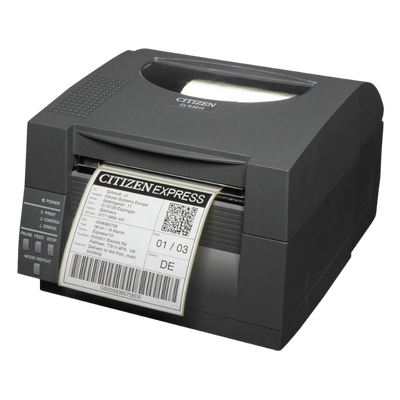
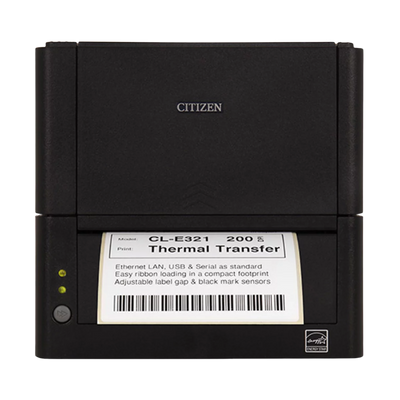
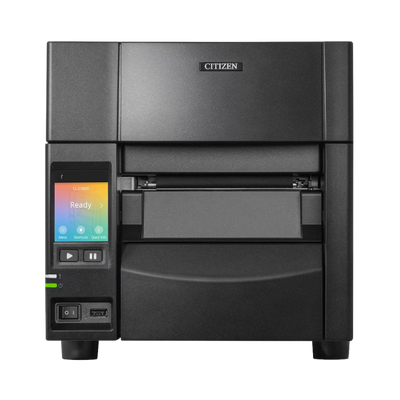
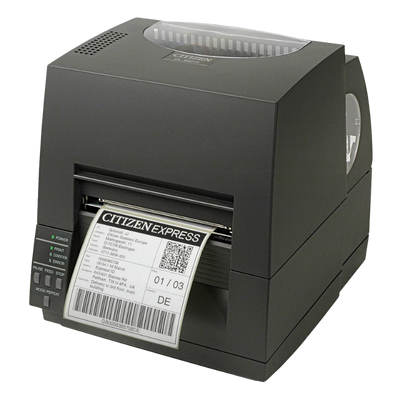
Explore Citizen receipt and label printers for retail, restaurants, healthcare, shipping, warehousing, manufacturing and asset identification. Compare compact POS printers, high-performance receipt printers, desktop label printers and industrial barcode-printing systems.

POS Receipt PrintingShipping LabelsInventory & AssetsWarehouse LabelingIndustrial Printing
POS to Industrial Printer families for front and back of house workflows
203 & 300 dpi Options for general and high-density label printing
Project Pricing Volume quotes and deployment assistance available
Citizen Printing Hardware for POS, Logistics and Industrial Labeling
Browse the Catalog

Citizen Products In Stock

Filter by category to see what we hold. Counts show the full collection; the grid is a preview, so use the arrow to see everything.

No products found.

Select another filter or return to All Hardware.

New Citizen Products

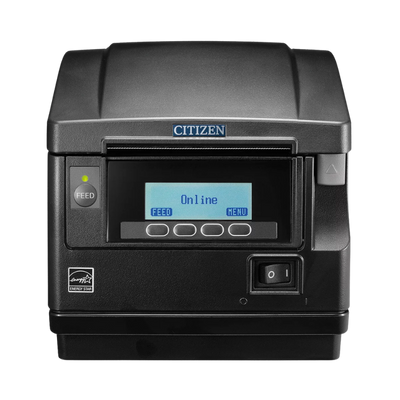
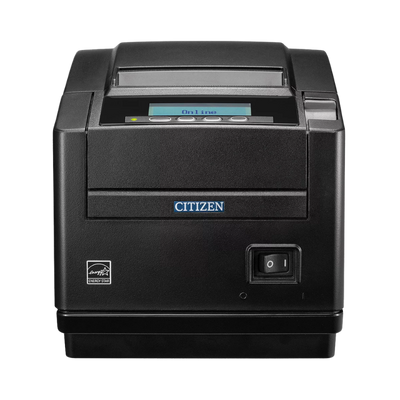
Meet the New CT-S801III and CT-S851III

Citizen's latest high-performance POS printers combine ultra-fast receipt production, programmable LCD displays, flexible connectivity and durable commercial construction. Choose top-exit or front-exit paper handling to match the installation environment.

New Product Spotlight
Citizen CT-S801III
New ProductTop Exit

Citizen CT-S801III

A high-performance top-exit POS printer for retail, hospitality, kitchen and kiosk applications. The top paper path is ideal for traditional countertop installations.

  • 500 mm/secMaximum print speed
  • 203 dpiPrint resolution
  • 80 mmMaximum print width
  • Top ExitCountertop paper path
  • Customizable LCD display for status messages and branding
  • USB 2.0 with optional Ethernet, serial and Bluetooth interfaces
  • Built-in buzzer and easy paper loading
  • Full and partial guillotine cutter
Citizen CT-S851III
New ProductFront Exit

Citizen CT-S851III

A high-performance front-exit POS printer for installations where protection from moisture, spills or foreign objects is important.

  • 500 mm/secMaximum print speed
  • 203 dpiPrint resolution
  • 80 mmMaximum print width
  • Front ExitProtected paper path
  • Front paper exit helps protect against moisture and debris
  • Customizable LCD display for operation and low-paper notices
  • USB 2.0 with optional Ethernet, serial and Bluetooth interfaces
  • Integrated power supply and tool-free maintenance

Product interfaces and configurations vary by manufacturer part number. Contact ShopPOSPortal for configuration and SKU validation.

Citizen Hardware Questions

Range differences, the specifications fixed at purchase, and how to identify a replacement.

Why do people choose Citizen?

Three reasons come up repeatedly.

Cost per station. Equipping ten counters or twenty label benches, the difference against a tier-one brand is real money, and the printers last.

Dual print method. Buying one printer that handles both direct thermal and thermal transfer rather than two single-mode machines changes the maths on a labelling project.

Longevity. Citizen model families run for years, so a site that standardises can still order the same part number well into the deployment rather than discovering the model has been replaced.

They are a practical choice rather than a compromise, which is why they turn up in retail, hospitality, healthcare, manufacturing and logistics alike.

How does Citizen compare to Zebra or Star?

Citizen consistently comes in below the tier-one brands for comparable build and print performance, and there are places where it is simply the better machine.

One printer instead of two. Most of the CL-E and CL-S range runs both direct thermal and thermal transfer. Competitors frequently sell those as separate models, so a site needing both short-life pick labels and long-life asset labels buys one Citizen where it would buy two of something else.

Quiet operation. The CT receipt range is noticeably quieter than the alternatives, which matters far more on a hospitality counter or a hospital ward than any datasheet suggests.

Drop-in replacement. Several models include language emulation, so they can interpret commands written for other manufacturers' printers. That makes Citizen one of the few realistic swaps when existing software was built around another brand.

Integrated power supplies on much of the receipt range remove the external brick from under the counter.

The one thing to check is certification: if your POS or label software publishes an approved hardware list, confirm Citizen is on it. Where it is, they are usually the value choice on the list.

What is the difference between the Citizen CT, CL-E and CL-S ranges?

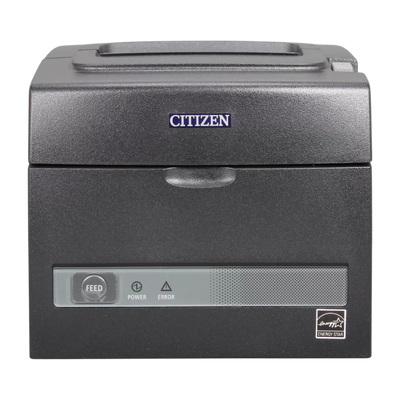
CT series are thermal receipt printers for counters and kiosks, including the CT-S310II and CT-S4500. They use 80mm receipt paper and no ribbon.

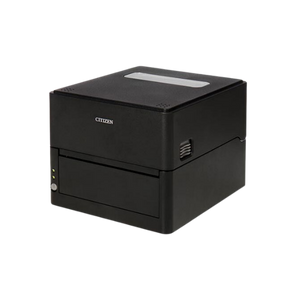
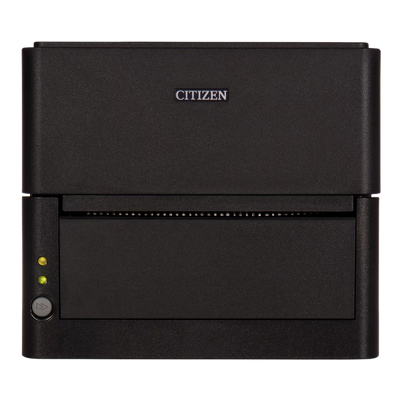
CL-E series are desktop label printers. Compact enough for a workstation, and most run both direct thermal and thermal transfer.

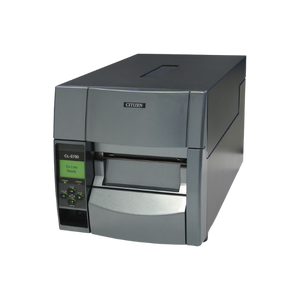
CL-S series are industrial label printers with a metal chassis and larger media capacity, built for continuous shift printing rather than intermittent desktop use.

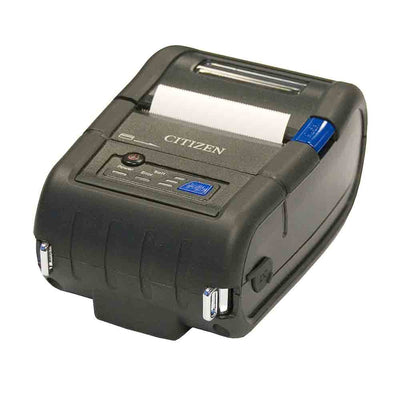
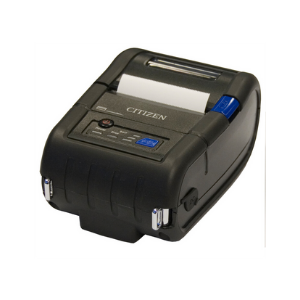
CMP series are portable battery printers for delivery, route sales and field work.

CL-E or CL-S, which do I need?

CL-E is the compact desktop family, suited to a workstation or back office printing a moderate number of labels a day.

CL-S is the industrial family, with stronger media handling, larger roll capacity and a build intended for continuous shift printing. The CL-S500 series sits between the two as an industrial desktop.

The practical test is reload frequency and daily volume. If someone is changing media several times a day, or the printer runs all shift, move up to CL-S.

How fast are Citizen receipt printers?

The current high-performance models reach 500 mm/sec, which is at the top of what POS printing needs and comfortably ahead of much of the market. The CT-S801III and CT-S851III both run at that speed.

Mid-range models sit lower and are still quick enough for most counters: the CT-E601 reaches 350 mm/sec, the CT-E651 300 mm/sec and the CT-E351 250 mm/sec.

In practice, speed stops being the limiting factor above roughly 250 mm/sec for a standard receipt. Above that, the cutter and paper handling matter more than the raw print rate.

Browse Citizen receipt printers.

Front exit or top exit?

Top exit is the default and suits an open counter where the printer sits beside the till with clear space above it.

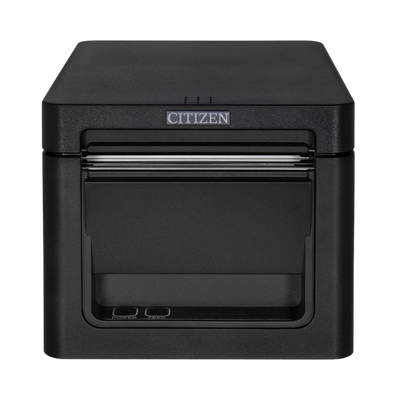
Front exit matters when the printer goes under a counter, inside a cabinet or in a tight service area, because paper comes out of the front face rather than the top. The CT-E351 and CT-E651 are the front-exit models; the CT-E301 and CT-E601 are top exit.

Measure the space above the printer before choosing. A top-exit printer in a cabinet is unusable, and it is not something you can change later.

58mm or 80mm paper?

80mm is the standard for counter receipt printing and what most POS software expects. 58mm exists for compact and mobile printers where space is tight.

The CT-S310II supports both, which is useful if you are unsure or run mixed sites. Most other models are one or the other.

Receipt layouts formatted for 80mm will not lay out correctly on 58mm, so confirm before ordering paper in volume.

Do I need 203 or 300 dpi?

203 dpi covers most work: standard barcodes, shipping labels, shelf tickets and normal text. It prints faster and costs less.

300 dpi is needed for small labels, dense 2D codes such as Data Matrix, and anywhere the barcode has to fit into a few millimetres. Asset tags, electronics and pharmacy labelling usually need it.

Resolution is fixed at purchase, so if small-format labelling is anywhere in your plans, specify 300 dpi now. The CL-E331, CL-S531II, CL-S631II and CL-S703III are the 300 dpi models.

Do Citizen label printers do both direct thermal and thermal transfer?

Most of the CL-E and CL-S range does, which is one of the strongest reasons to consider them. Direct thermal needs no ribbon and suits short-life pick and shipping labels; thermal transfer uses a ribbon and lasts years, which is what asset and compliance labels need.

A single dual-mode printer covers both jobs where a single-mode competitor would mean buying two machines. Confirm the specific part number, since some models ship direct thermal only.

What are the CT-S4000 and CT-S4500 for?

They are four-inch class thermal printers, which is considerably wider than a standard 80mm receipt. That suits wide receipts, tickets, order documents and forms rather than ordinary checkout.

The CT-S4500 adds document scaling, meaning it can shrink a wider document to fit the paper. Useful where you are printing something originally designed for a full page.

For normal retail or hospitality receipts these are more printer than you need. Consider them where the document itself is wide.

What does the peeler and rewinder option do?

A peeler separates the label from its backing as it prints, so the operator can take a ready-to-apply label rather than peeling it by hand. A rewinder winds the spent liner onto an internal spool instead of letting it fall on the floor.

Together they suit batch label application, where someone is applying labels continuously. The CL-S700RII and CL-S703RIII are the models with both built in.

If labels are printed a few at a time and applied later, you do not need either.

What is re-stick media on the CT-S601IIR?

Re-stick is repositionable liner-free label media. It sticks to a surface, can be lifted and moved, and leaves no residue. There is no backing paper to peel and bin.

It is used mainly in food service for order labels stuck to bags, containers and tickets. The printer needs a linerless-capable platen and cutter, which is why an ordinary receipt printer cannot run it.

Can Citizen printers do wristbands?

Yes. The CL-S400DT and CL-S521II both handle wristband media alongside labels, tickets and receipts, which makes them common in healthcare, events and hospitality.

Match the wristband material to the length of wear. Short-stay and event bands are fine on standard direct thermal; multi-day inpatient bands need stock rated to stay legible through showers and gels.

What is the operator display on the CT-S801III and CT-S851III for?

It shows printer status at a glance: paper low, cover open, error codes and network details. On a busy counter that matters, because the alternative is a flashing light that nobody can interpret.

It is most useful where staff are not technical and a printer stopping mid-transaction needs resolving in seconds rather than by calling support.

Will Citizen work with software written for another brand?

Often, yes. Several Citizen models include language emulation, meaning they can interpret command languages written for other manufacturers' printers. The CL-S521II is one example.

That makes Citizen a practical replacement where existing software was built around another brand and rewriting it is not realistic.

Emulation is not universal though. Send us the software and the printer it currently expects, and we will confirm before you order rather than after.

What consumables do I need to keep in stock?

For receipt printers, 80mm thermal receipt paper, or 58mm on compact models. No ribbon is required on thermal.

For label printers, label stock matched to the job, plus thermal transfer ribbons if you are printing thermal transfer. Wax for paper labels, wax-resin for coated stock, resin for polyester and anything facing heat, solvents or sunlight.

For both, keep a spare print head and cleaning supplies on the shelf. Print heads are consumables rated in kilometres of media, and replacing one is far quicker than waiting for a delivery with the printer out of action.

Where do I get Citizen media and print heads?

We stock label stock, thermal transfer ribbons, receipt paper and print heads that suit the Citizen ranges.

Print heads are consumables rated in kilometres of media rather than fault items, so on a high-volume printer replacement is routine maintenance. Keeping a spare on the shelf avoids a printer being out of action while one is ordered.

What happens if a printer fails?

Citizen printers carry a manufacturer warranty, and we handle the claim rather than sending you to the manufacturer. Tell us the model and what it is doing and we will work out whether it is a fault, a consumable or a configuration issue.

A large share of reported printer faults turn out to be a worn printhead or the wrong media, both of which are quicker to fix than a warranty return. It is worth checking those first.

How do I find a like-for-like replacement?

Send us the full part number from the label on the printer, not just the model family. Citizen model families run for years with several interface variants, and a CT-S310II with Ethernet is a different part number from the USB version.

If the label is unreadable, the original invoice or purchase order usually carries it. We can also identify the model from a photograph of the device and its ports.

Can you supply the same configuration across multiple sites?

Yes, and it is worth doing. One printer model across an estate means paper, ribbons, print heads and spares interchange, and staff moving between locations already know the equipment.

We can hold a specification on record so repeat orders match exactly rather than arriving as a similar model with a different interface. For larger rollouts we can also stage delivery site by site instead of shipping everything at once.

Hardware Selection Support

Not sure which model is right?

Send us what you are trying to do and we will come back with a specific recommendation rather than a catalogue. If you are replacing equipment, a model number or a photo of the existing setup is usually enough to work from.

  • Solutions experts on staff to answer your hardware questions
  • 30 day return policy, excluding consumables
  • In-stock items ship same day when ordered by 4:00pm Eastern
  • Volume and multi-location pricing reviewed on request

Ask a Question

We usually respond within 10 minutes on weekdays.

We use your details to answer your enquiry and nothing else.