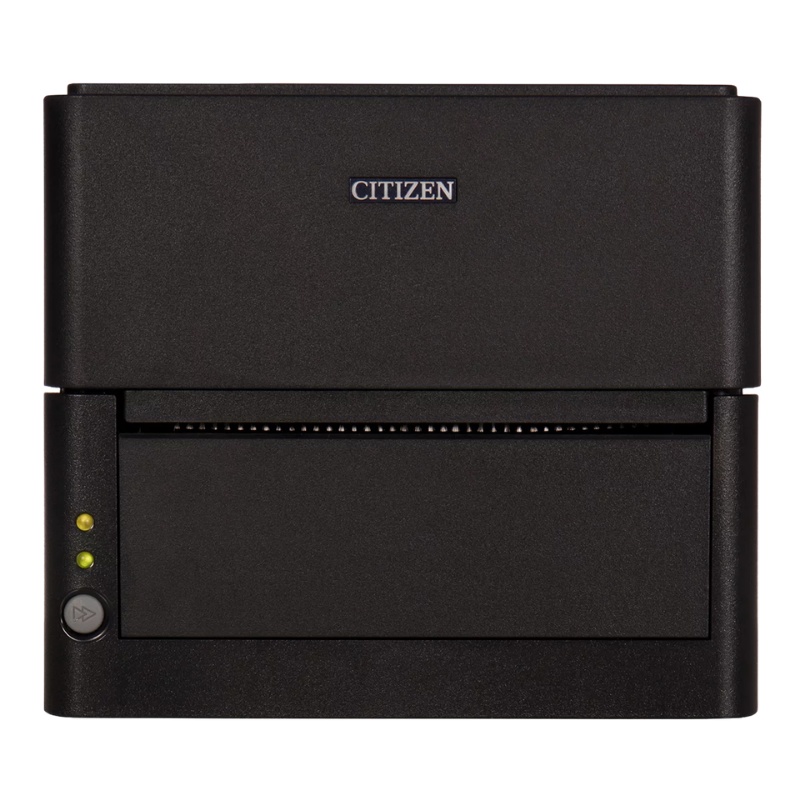
Citizen Desktop Label Printers

Citizen CL-E desktop label printers for barcode, product and shipping labels. Direct thermal and thermal transfer.

Citizen Desktop Label Printer Questions

Choosing between the CL-E and CL-S desktop ranges, and knowing when to step up.

Which Citizen desktop label printer should I choose?

The CL-E300 is the straightforward direct thermal choice for a shipping bench or stockroom, and it is the model most sites start with. Move to the CL-E321 or CL-E331 if you need thermal transfer, the CL-E331 giving you 300 dpi.

The CL-S500 and CL-S600 series sit above them. The CL-S521II, CL-S531II, CL-S621II and CL-S631II share an industrial-grade build in a desktop footprint, which is what you want if the printer runs most of the day rather than in bursts.

Browse Citizen desktop label printers.

What is the difference between the CL-E and CL-S ranges?

Both sit on a desk and both take 4-inch media. The difference is how hard you can work them. The CL-E range is the lighter-duty, better-value option for intermittent printing. The CL-S range is built to industrial standards in a desktop shell and tolerates sustained use.

The practical test is duty rather than features. If the printer sits idle between orders, the CL-E range is the sensible spend. If it prints steadily through a shift, the CL-S range will outlast it and cost less over the life of the machine.

How many labels a day can a desktop printer handle?

There is no single number, because it depends on label size, print method and how the work is spread across the day. As a working guide, a CL-E model is comfortable with light and intermittent batches, while a CL-S desktop model handles steady printing through a full shift.

The honest signal that you have outgrown a desktop unit is not a label count but the queue. Once staff are waiting on the printer, or you are running it continuously rather than in bursts, the running costs and downtime of an industrial model work out cheaper.

Compare with the industrial range.

Which models take a ribbon?

The thermal transfer models take a ribbon: the CL-E321, CL-E331, CL-S621II and CL-S631II. The direct thermal models do not: the CL-E300, CL-E303, CL-S521II and CL-S531II print straight onto heat-sensitive stock.

A ribbon is a second consumable to hold and to change, which is a real operational cost on a busy bench. Only buy thermal transfer if the label genuinely needs to last.

Can I print tickets rather than labels?

Yes. The CL-S400DT is built for ticket work and ships with a roll holder, with Bluetooth, USB and serial interfaces. It suits events, transport, car parks and anywhere printing tickets rather than adhesive labels.

A standard label printer can be made to print tickets, but stock handling and cutting are where it tends to struggle. If tickets are the main job, start with the printer designed for it.

Which interface do I need?

USB covers a single bench and is the default. Ethernet is the right choice if more than one workstation prints to the same unit, or if the printer sits away from the computer driving it.

The interface is fixed at manufacture, so a USB-only unit cannot be put on the network later. Several desktop models are stocked in more than one configuration. Tell us how it will connect and we will confirm the part number before you order.

Hardware Selection Support

Not sure which model is right?

Send us what you are trying to do and we will come back with a specific recommendation rather than a catalogue. If you are replacing equipment, a model number or a photo of the existing setup is usually enough to work from.

  • Solutions experts on staff to answer your hardware questions
  • 30 day return policy, excluding consumables
  • In-stock items ship same day when ordered by 4:00pm Eastern
  • Volume and multi-location pricing reviewed on request

Ask a Question

We usually respond within 10 minutes on weekdays.

We use your details to answer your enquiry and nothing else.
