Choosing between the desktop and industrial ranges, and what the model numbers tell you.
Which Citizen label printer should I choose?
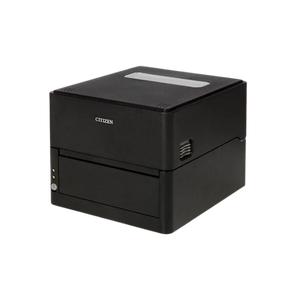
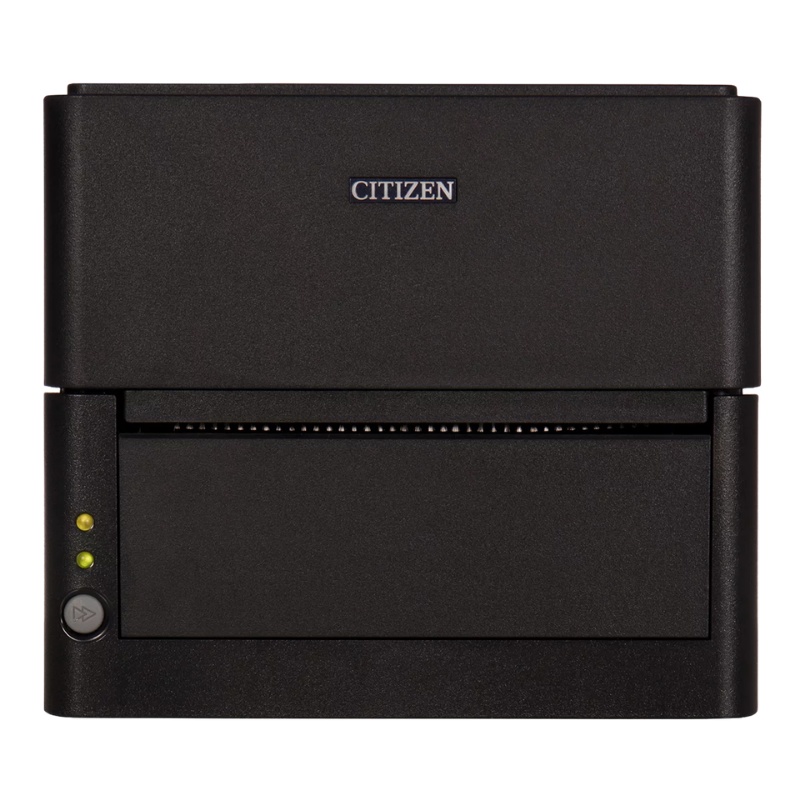
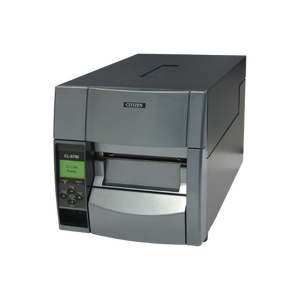
Start with how many labels you print in a day. A desktop unit such as the CL-E300 or CL-S521II suits a shipping bench, a stockroom or a retail back office. An industrial unit such as the CL-S700III suits a warehouse line running continuously through a shift.
Then decide whether the label has to survive anything. Direct thermal is fine for shipping labels and anything read within weeks. Thermal transfer uses a ribbon and lasts years, which is what asset tags, cold storage and outdoor labels need.
On the CL-S range the digits are readable once you know the rule. The second digit is the print method: 5 is direct thermal, 6 is thermal transfer. The third digit is resolution: 2 is 203 dpi, 3 is 300 dpi.
So the CL-S521II is direct thermal at 203 dpi, the CL-S531II is direct thermal at 300 dpi, the CL-S621II is thermal transfer at 203 dpi and the CL-S631II is thermal transfer at 300 dpi. Same chassis, four combinations.
The CL-E range does not follow the same rule, so read those from the specification rather than the number. Ask us if you want the exact part number confirmed.
Direct thermal or thermal transfer?
Direct thermal prints onto heat-sensitive stock with no ribbon. Fewer consumables, less to go wrong, cheaper per label. The print fades with heat, sunlight and abrasion, so it is right for shipping labels, picking labels and anything with a short life.
Thermal transfer melts a ribbon onto the label. It costs more per label and adds a consumable to keep in stock, but the print survives years, cold, sunlight and handling. Asset tags, compliance labels and anything going outdoors or into a freezer need it.
If you are unsure, ask how long the label must stay readable. Under a few weeks, direct thermal. Longer, thermal transfer.
Do I need 203 dpi or 300 dpi?
203 dpi is the right default and covers most work. Standard barcodes, shipping labels and product labels all scan reliably at 203 dpi, and it is the cheaper and faster option.
Step up to 300 dpi when the label is small and crowded, when you are printing very small text, or when you need dense 2D codes such as DataMatrix on a compact asset tag. Jewellery tags and electronics labelling are the usual cases.
Printing a normal 4-inch shipping label at 300 dpi gains you nothing and costs more, so do not buy resolution you will not use.
Will it work with my software?
Most warehouse and shipping platforms drive Citizen label printers without trouble, and several models on this site are stocked in configurations matched to specific platforms. Citizen printers also handle common command-language emulation, which is what lets a printer drop into a workflow written for another brand.
Emulation support varies by model and firmware, so it is worth confirming rather than assuming. Send us the platform you are running and we will tell you which part number is the safe order.
Which interface do I need?
USB for a single bench, Ethernet for a shared or multi-station site, Bluetooth or Wi-Fi where the printer cannot be cabled. Serial still appears on older and specialised installations.
As with the receipt range, the interface is fixed at manufacture and cannot be added later. It is the one specification worth checking twice before ordering. Tell us how the printer will connect and we will confirm the exact manufacturer part number.
Hardware Selection Support
Not sure which model is right?
Send us what you are trying to do and we will come back with a specific recommendation rather than a catalogue. If you are replacing equipment, a model number or a photo of the existing setup is usually enough to work from.
Solutions experts on staff to answer your hardware questions
30 day return policy, excluding consumables
In-stock items ship same day when ordered by 4:00pm Eastern
Volume and multi-location pricing reviewed on request
Ask a Question
We usually respond within 10 minutes on weekdays.
Choosing a selection results in a full page refresh.