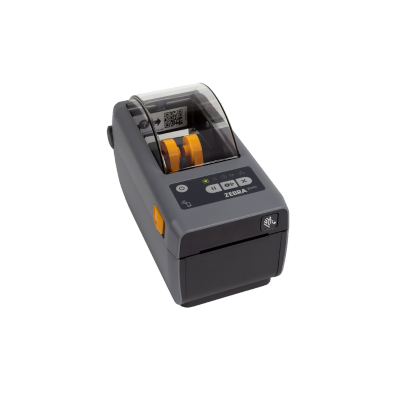
2-inch Desktop Printer
Compact
Zebra ZD411
Compact direct-thermal desktop printer for small barcode, asset, specimen and shelf labels.
2-inch203 dpiDesktop
View Product →


Compare Zebra desktop, industrial, mobile, RFID and healthcare label printers by print method, label width, resolution, daily volume, connectivity, media handling and operating environment.


The correct Zebra printer is determined by the label, volume, environment and workflow. Use this guide to create a repeatable printer standard instead of choosing by model name alone.
Answer these questions before comparing individual SKUs. They determine the printer class, print method, width, resolution and accessories.
Choose around the actual liner and print width—not just the marketing class. Common Zebra platforms cover 2-inch, 3-inch, 4-inch and 6-inch applications.
A few hundred labels per day may fit a desktop printer. Continuous, multi-shift or high-throughput work usually belongs on an industrial platform.
Direct thermal is efficient for short-life labels. Thermal transfer is better when labels must resist abrasion, moisture, heat, chemicals or time.
Use 203 dpi for most shipping and inventory labels, 300 dpi for smaller text and dense barcodes, and 600 dpi for precision micro-labeling.
A desktop, packing line, manufacturing cell, forklift, retail aisle, patient room or field vehicle may each require a different Zebra printer class.
Connectivity, cutter, peeler, rewind, linerless printing, RFID encoding, healthcare construction, batteries and media all affect the final configuration.
Zebra label printers span compact desktop stations, light-industrial and premium industrial platforms, battery-powered mobile printers, RFID encoders and healthcare-ready models.
Small labels, wristbands, jewelry tags, specimen labels and compact workstations.
Shipping, product, shelf, inventory, asset and general-purpose barcode labels.
Growing warehouses and manufacturing operations that have outgrown desktop printers.
High-volume warehouse, manufacturing and compliance labeling with broad options.
Wide shipping, chemical, pallet, automotive and compliance label formats.
Mission-critical, multi-shift printing and precision applications.
Point-of-activity labels and receipts in retail, warehouses, healthcare and field service.
Transportation, public safety, utilities and harsh field environments.
Print and encode RAIN RFID labels at desktop, industrial or mobile points of activity.
Patient identification, specimen, pharmacy and bedside label workflows.
Use this table as a starting point. Exact print method, resolution, connectivity, media handling, RFID and healthcare configurations vary by full Zebra SKU.
| Family | Class | Width | Print Method / Variants | Resolution | Best Fit |
|---|---|---|---|---|---|
| ZD411 | Desktop | 2-inch class | Direct thermal or thermal transfer configurations | 203 / 300 dpi | Small labels, healthcare, assets, jewelry and shelf-edge |
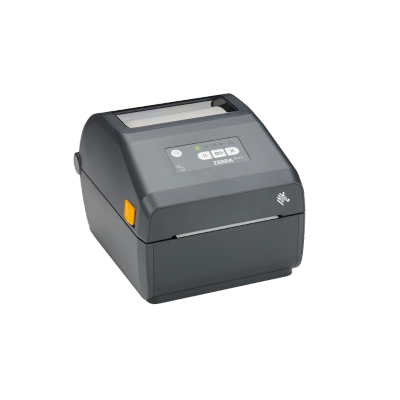
| ZD421 | Desktop | 4-inch class | Direct thermal or thermal transfer | 203 / 300 dpi | Shipping, inventory, product and asset labels |
| ZD611 | Premium desktop | 2-inch class | Direct thermal, thermal transfer and linerless configurations | 203 / 300 dpi | Premium small-label, retail, healthcare and specialty work |
| ZD621 | Premium desktop | 4-inch class | Direct thermal, thermal transfer, healthcare and RFID | 203 / 300 dpi | High-performance desktop labeling and RFID |
| ZT111 | Entry industrial | 4-inch class | Direct thermal or thermal transfer | 203 / 300 dpi | Budget-conscious light-industrial printing |
| ZT231 | Light industrial | 4-inch class | Direct thermal or thermal transfer; RFID option | 203 / 300 dpi | Growing warehouse, manufacturing and shipping volumes |
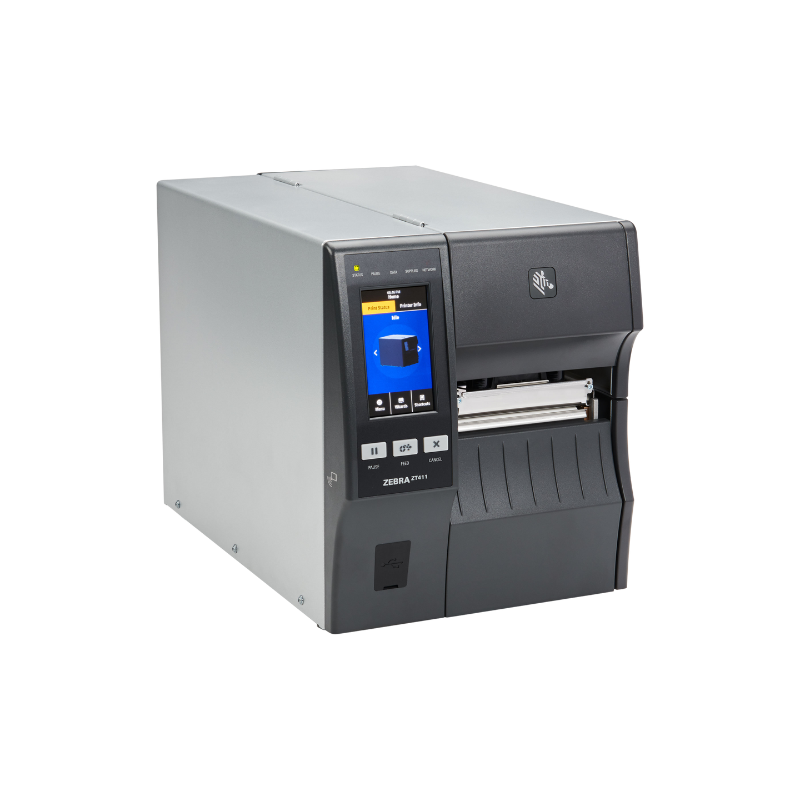
| ZT411 | Industrial | 4-inch class | Direct thermal or thermal transfer; RFID and media-handling options | 203 / 300 / 600 dpi | High-volume industrial, compliance and precision labeling |
| ZT421 | Industrial | 6-inch class | Direct thermal or thermal transfer; RFID and media-handling options | 203 / 300 dpi | Wide-format industrial and compliance labels |
| ZT610 | Premium industrial | 4-inch class | Thermal transfer / direct thermal configurations | 203 / 300 / 600 dpi | Mission-critical throughput and micro-label precision |
| ZT620 | Premium industrial | 6-inch class | Thermal transfer / direct thermal configurations | 203 / 300 dpi | High-speed wide-format industrial labeling |
| ZQ610 Plus | Mobile | 2-inch class | Direct thermal | 203 dpi | Retail shelf labels, receipts and compact mobile workflows |
| ZQ620 Plus | Mobile | 3-inch class | Direct thermal | 203 dpi | Retail, healthcare, inventory and mobile receipts |
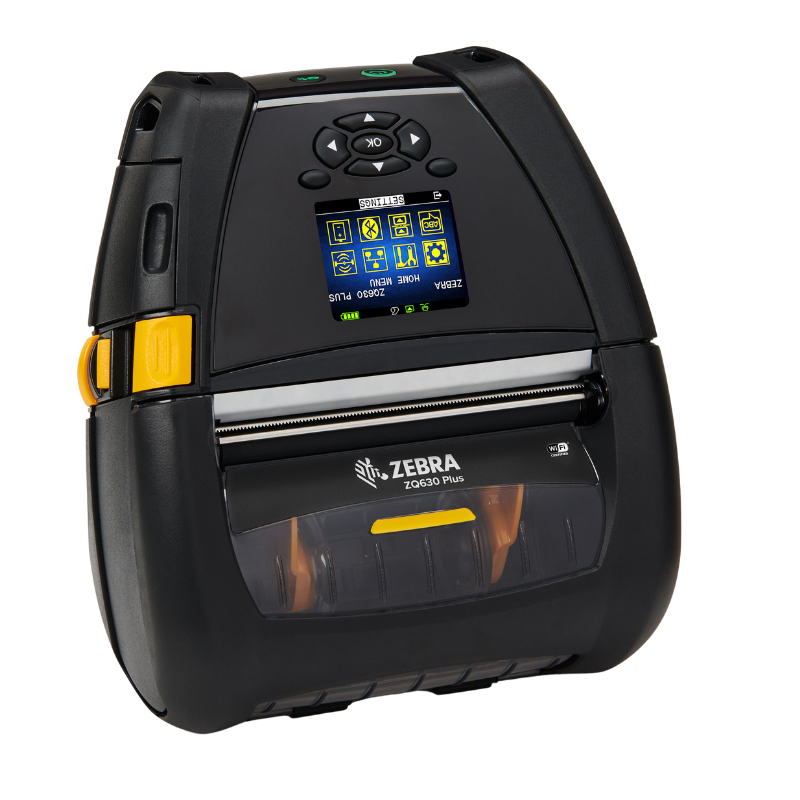
| ZQ630 Plus | Mobile | 4-inch class | Direct thermal; RFID model available | 203 dpi | Warehouse, pallet, shipping and forklift labeling |
| ZQ500 Series | Rugged mobile | 2- to 4-inch class models | Direct thermal | 203 dpi | Transportation, field service and harsh environments |
Label width determines the printer platform. Resolution determines how sharply the printer can reproduce small text, dense barcodes and graphics.
Small assets, jewelry, lab specimens, wristbands, shelf edge and compact identification.
Mobile receipts, retail labels, healthcare and intermediate-width portable applications.
The most common class for shipping, inventory, products, cartons, compliance and RFID.
Wide pallet, chemical, automotive, logistics and regulatory formats.
Best value for most shipping, inventory, product and warehouse barcode labels.
Sharper small text, dense barcodes, graphics, healthcare and compact labels.
Precision micro-labeling, electronics, components and very small text or symbols.
Confirm both values. The media roll can be wider than the actual printable area.
Daily label count matters, but so do run length, roll size, number of shifts, downtime cost and environmental exposure.
| Printer Class | Typical Workload | Example Families | Selection Factors |
|---|---|---|---|
| Light desktop | Occasional to lower daily volume | ZD411, ZD421 | Compact footprint, simple media handling, optional connectivity |
| Premium desktop | Frequent desktop printing and managed fleets | ZD611, ZD621 | Faster performance, advanced security, specialty variants |
| Light industrial | Growing volume and longer print runs | ZT111, ZT231 | Metal construction, larger rolls, fewer media changes |
| Industrial | High-volume, multi-shift or production-line work | ZT411, ZT421 | Durability, media handling, RFID, broad connectivity |
| Premium industrial | Mission-critical and precision printing | ZT610, ZT620 | Maximum throughput, durability and advanced resolution |
| Mobile | Point-of-activity printing throughout a shift | ZQ600 Plus, ZQ500 | Battery, wireless, carrying, docking and media capacity |
Media-handling options change how labels leave the printer and how operators or automated systems use them.
Users pull each label or batch against the printer’s tear bar. Simple and flexible.
The liner separates so an operator can immediately apply each printed label.
Automatically cuts continuous media, tickets, receipts or batches to a selected length.
Collects finished labels or liner for high-volume and controlled production workflows.
Connects compatible industrial printers to automated label-applicator systems.
Eliminates backing liner for selected mobile and desktop workflows, reducing waste.
Simple direct connection to a workstation, kiosk or local host.
Stable wired network printing for shared stations and managed fleets.
Flexible placement and mobile workflows without a fixed network cable.
Direct mobile-device pairing and selected portable printing workflows.
Important for older industrial equipment, scales and manufacturing systems.
Confirm the application, driver and label format support before standardizing.
Specialized workflows require more than a standard printer housing. Validate the media, encoding, disinfectants, power supply and application requirements.
ZD611R and ZD621R bring compact RAIN RFID printing and encoding to desktop stations.
ZT231 and ZT400 / ZT600 RFID configurations support higher-volume smart-label workflows.
ZQ630 Plus RFID supports point-of-activity label printing and encoding.
ZD411-HC, ZD421-HC, ZD611-HC and ZD621-HC add healthcare-ready materials and power options.
ZQ600 Plus healthcare models support bedside, specimen and mobile clinical printing.
Match the printer, wristband cartridge or roll, image permanence and patient workflow.
Printer performance depends on the label construction, adhesive, ribbon, core, outside diameter, sensor type and environmental requirements.
Short-life shipping, receipt, carton and temporary labels without a ribbon.
General barcode labels with improved durability when paired with a ribbon.
Moisture-resistant synthetic media for retail, healthcare and warehouse use.
Long-life asset, electronics, equipment and outdoor identification labels.
Match the inlay, item material, read range and encoder to the application.
Patient wristbands, specimen labels, pharmacy labels and clinical identification.
Cost-effective ribbon for paper labels and general-purpose printing.
Higher durability for coated paper, synthetics, chemicals and abrasion.
A suite of tools and applications for setup, security, integration, management and visibility.
Zebra’s printer operating environment for connectivity, applications and remote management.
Label-design software for creating barcode, text, graphic and RFID label formats.
Tools for configuration, calibration, firmware and connectivity setup.
Print selected PDF documents directly on compatible Zebra printers without middleware.
Plan firmware, security, configuration and status monitoring for multi-printer fleets.
Choose desktop for moderate volume and light industrial when rolls, throughput or uptime increase.
Use industrial printers at fixed stations and mobile printers at the point of activity.
Compact and mobile printers support shelf labels, markdowns and store operations.
Select around label width, durability, resolution, media handling and automation.
Match small durable labels or RFID media to the asset surface and lifecycle.
Use healthcare-ready construction and validated patient, specimen or pharmacy media.
Choose desktop, industrial or mobile encoding based on volume and where tags are applied.
Plan ruggedness, batteries, vehicle charging, wireless and mobile media capacity.
These six models cover compact desktop, general desktop, light industrial, industrial, wide-format and mobile printing.
Compact direct-thermal desktop printer for small barcode, asset, specimen and shelf labels.
Versatile thermal-transfer desktop printer for durable shipping, product, inventory and asset labels.
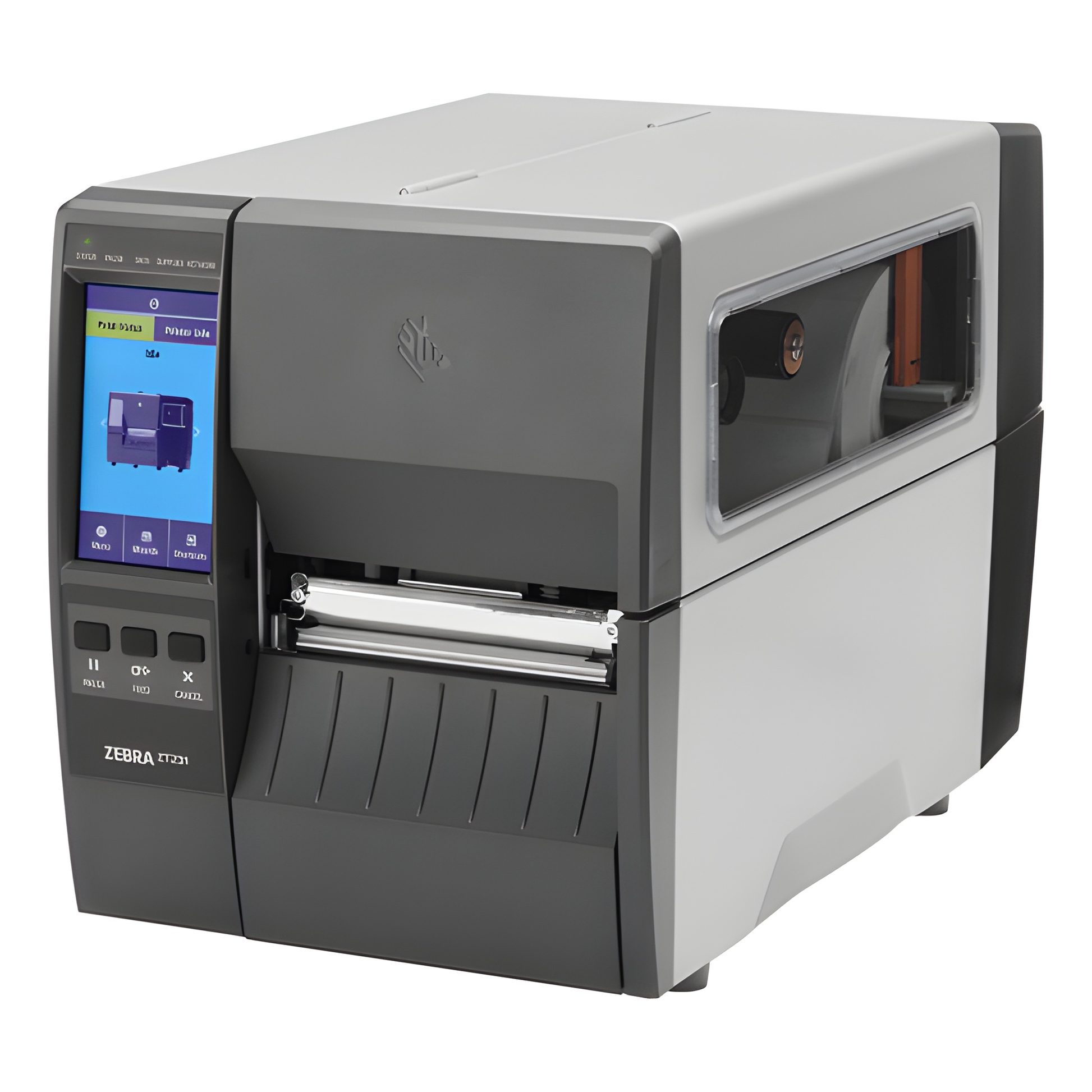
Space-efficient industrial printer for warehouse, manufacturing and shipping operations.
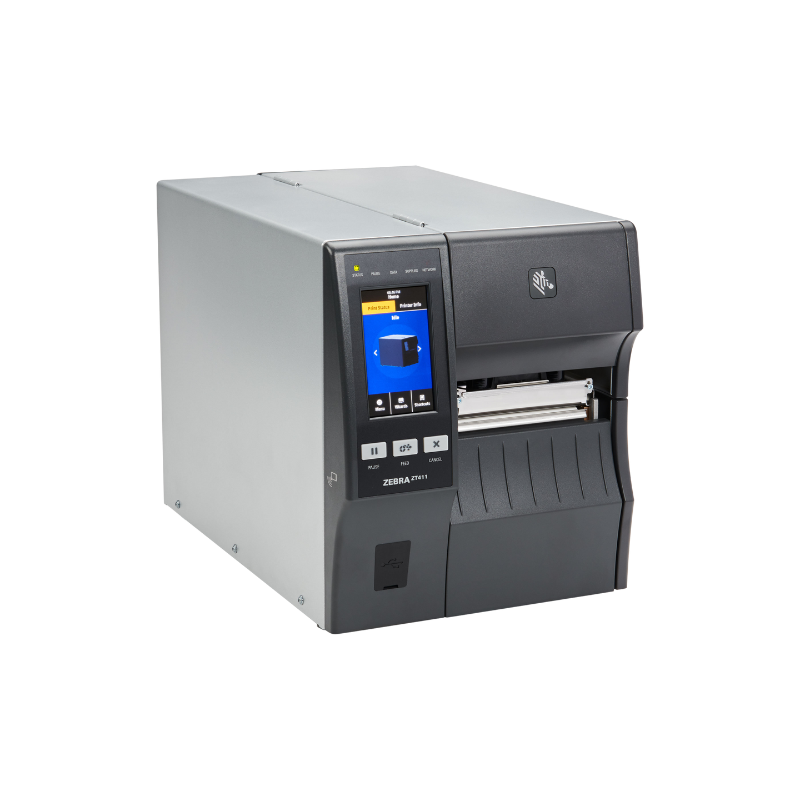
High-performance 4-inch industrial printer with broad resolution, connectivity and media-handling choices.
Wide-format industrial printer for pallet, compliance, chemical, automotive and logistics labels.
Enterprise mobile printer for warehouse, forklift, pallet, inventory and shipping labels.
ShopPOSPortal can help software companies, integrators and end users select the correct Zebra printer class, print method, resolution, connectivity, media handling, RFID configuration, healthcare model, labels, ribbons and accessories.