
Compact Touchscreen
Retail & Field
Zebra TC22 / TC27
Cost-effective enterprise handhelds for inventory, retail, hospitality, route sales and field service.
6-inchWi-Fi / 5G1D / 2D
View Product →


Compare Zebra handhelds, keypad mobile computers, wearables, rugged tablets, vehicle-mounted computers and healthcare devices by workflow, connectivity, scan range, ruggedness, ergonomics and accessory requirements.


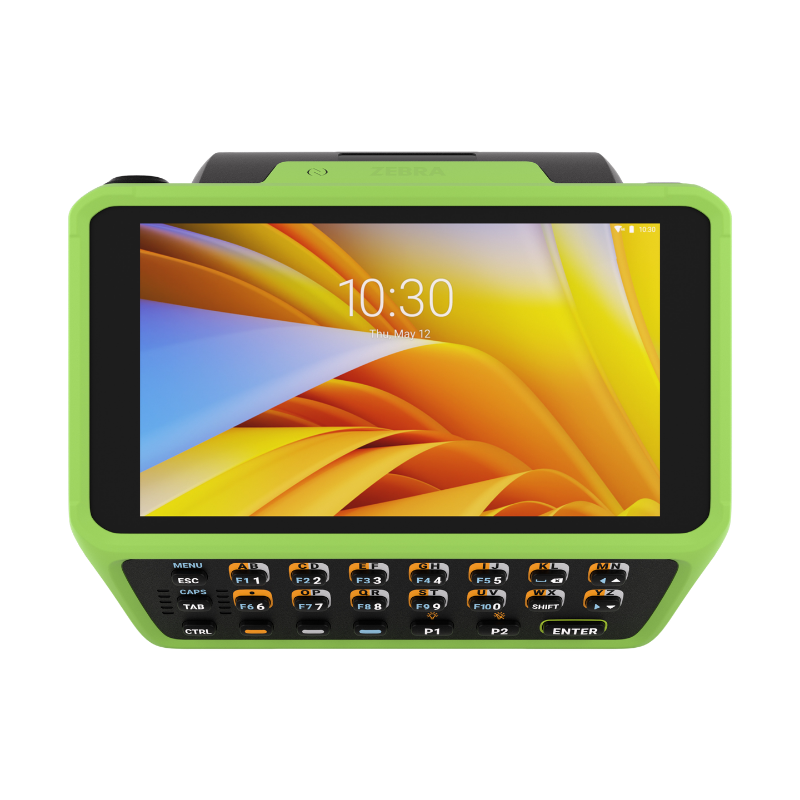
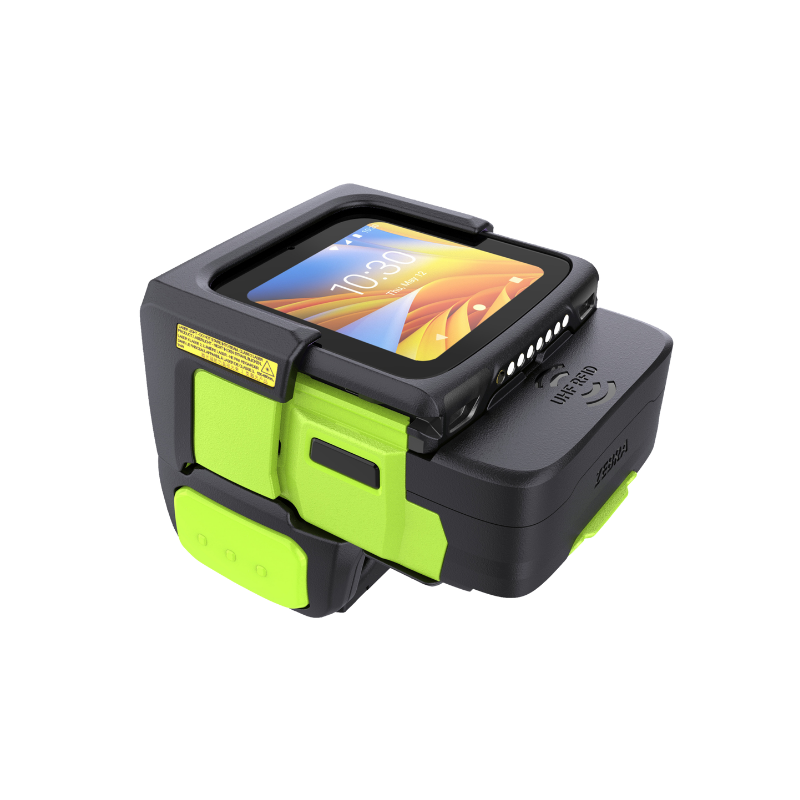

A Zebra mobile computer should be selected around the work being performed, not simply by screen size or price. Use the guide sections below to create a repeatable approved-hardware standard.
Answer these questions before comparing part numbers. They determine the form factor, radio, scan engine, ruggedness and accessory package.
Retail floor, warehouse aisle, freezer, vehicle, hospital, manufacturing cell or outdoor field route.
Standard labels, tiny dense codes, damaged symbols, distant rack labels, direct part marks or RFID tags.
Touchscreen apps, physical keypad entry, pistol-grip scanning, wearable workflows or a larger tablet interface.
Wi-Fi-only devices fit controlled facilities. Cellular models support delivery, field service and multi-site mobility.
Match drops, tumbles, dust, water, temperature, freezer use, disinfectants and non-incendive requirements.
Batteries, cradles, vehicle docks, trigger handles, ring scanners, RFID sleds, printers and device-management tools.
Zebra mobility spans pocketable handhelds, touchscreen computers, physical-keypad devices, wearables, tablets, healthcare devices and forklift-mounted terminals.
Phone-style enterprise mobility for retail, hospitality, inventory, route sales and field service.
Premium frontline computing for retail, logistics, customer service and advanced data collection.
High-performance touchscreen mobility for demanding field, transportation, logistics and industrial work.
Physical keypads and gun-style options for repetitive warehouse scanning and data entry.
Mission-critical warehouse and manufacturing mobility with long-range scanning and specialty configurations.
Hands-free picking, sorting, replenishment, store fulfillment and task-worker connectivity.
Larger screens for supervisors, healthcare, public safety, field service, vehicles and detailed forms.
Always-visible Android computing for forklifts, cold storage, docks, yards and material movement.
Purpose-built, disinfectant-ready mobile computers for clinical and non-clinical healthcare workflows.
Use this table as a starting point. Exact configurations, scan engines, memory, radios and environmental ratings vary by full manufacturer SKU.
| Family | Form Factor | Connectivity | Data Capture | Best Fit |
|---|---|---|---|---|
| TC22 / TC27 | Compact touchscreen | TC22: Wi-Fi; TC27: cellular | Standard or advanced-range options | Retail, hospitality, light warehouse, field service |
| TC53e / TC58e | Enterprise touchscreen | TC53e: Wi-Fi; TC58e: cellular | Standard and advanced-range options | Frontline retail, logistics, delivery and customer service |
| TC53e-RFID | Touchscreen with integrated RFID | Wi-Fi | Barcode + short-range UHF RFID | Retail inventory, asset tracking and item-level RFID |
| TC501 | Premium AI-ready touchscreen | Wi-Fi and cellular configurations | Advanced barcode and integrated RFID options | AI-enabled frontline apps, premium retail and logistics |
| TC73 / TC78 | Ultra-rugged touchscreen | TC73: Wi-Fi; TC78: cellular | Standard and advanced-range options | Transportation, field service, logistics and harsh environments |
| MC3400 / MC3450 | Keypad / pistol-grip | MC3400: Wi-Fi; MC3450: cellular | Standard through extended-range | Warehousing, manufacturing, inventory and legacy keypad workflows |
| MC9400 / MC9450 | Ultra-rugged keypad | MC9400: Wi-Fi; MC9450: cellular | SE4770 or SE58 extended-range | High-volume warehouse, freezer, ports, yards and manufacturing |
| WT5400 / WT6400 | Wearable computer | Wi-Fi | Pairs with wearable scanners | Retail fulfillment, picking, sorting and replenishment |
| WS50 | All-in-one wearable | Wi-Fi / Bluetooth | Integrated scanner configurations | Manufacturing, retail, hospitality and compact hands-free tasks |
| ET40 / ET45 | Value rugged tablet | ET40: Wi-Fi; ET45: cellular | Integrated enterprise scanning options | Retail, hospitality, field service and mobile forms |
| ET60 / ET65 | Ultra-rugged enterprise tablet | Wi-Fi and cellular models | Optional advanced data capture | Warehouse, manufacturing, vehicles and outdoor work |
| ET80 / ET85 | Windows rugged 2-in-1 | Wi-Fi and cellular models | Optional scanning / docking | Public safety, utilities, mobile offices and field service |
| VC8300 | Vehicle-mounted computer | Wi-Fi / Bluetooth | Pairs with industrial scanners | Forklifts, cold storage, docks, yards and material handling |
| HC20 / HC25 / HC50 / HC55 | Healthcare handheld | Wi-Fi and cellular pairs | Integrated healthcare data capture | Clinical communications, patient ID and specimen workflows |
The right device family can still fail if the scan engine does not match the barcode size, condition and working distance.
Best for labels held in the hand or scanned at normal working distance. Common in retail, healthcare, receiving and inventory.
Supports a broader near-to-far working range for mixed workflows without moving to a full pistol-grip device.
Designed for warehouse racks, pallets and long-distance scanning while retaining near-field performance.
Use TC53e-RFID or TC501 configurations when short-range UHF RFID should be built into the handheld.
Pair compatible handhelds with RFD40 or RFD90 sleds when longer-range RFID reading and higher tag throughput are required.
A camera can capture occasional codes; a dedicated enterprise scan engine is faster, more ergonomic and more reliable for repeated work.
Best for modern visual applications, signatures, photos, maps, customer interaction and mixed workflows. Add a trigger handle when scanning volume increases.
Physical keypads improve repetitive data entry and glove use. Wearables reduce handling when both hands must remain available.
Drops and IP ratings are only part of ruggedness. Temperature, condensation, disinfectants, gloves, vehicle vibration and specialty certifications also matter.
| Environment | Recommended Form Factor | Example Families | Key Factors |
|---|---|---|---|
| Retail / Hospitality | Compact touchscreen or light tablet | TC22/TC27, TC53e/TC58e, ET40/ET45 | Low weight, payment, customer service, Wi-Fi, accessories |
| Warehouse / Distribution | Keypad, ultra-rugged handheld or wearable | MC3400/3450, MC9400/9450, WT6400, WS50 | Scan range, keypad, battery swaps, drops, Wi-Fi roaming |
| Cold Storage | Freezer-rated handheld or vehicle mount | MC9400/9450 freezer, VC8300 | Low-temperature battery, heated screen, condensation, gloves |
| Field Service / Delivery | Cellular touchscreen or rugged tablet | TC27, TC58e, TC78, ET45, ET65 | 5G, GPS, sunlight visibility, vehicle charging, camera |
| Manufacturing | Ultra-rugged keypad, touchscreen or wearable | MC9400/9450, TC73/78, WS50 | Direct part marks, gloves, drops, dust, specialty certifications |
| Healthcare | Disinfectant-ready healthcare handheld | HC20/25/50/55 | Approved disinfectants, alert button, voice, patient identification |
| Public Safety / Utilities | Rugged Windows or Android tablet | ET80/85, ET60/65, TC78 | Vehicle dock, keyboard, cellular, outdoor visibility, security |
A mobile-computer rollout is incomplete until charging, carrying, vehicle, scanning and printing accessories are standardized.
Standard, extended and BLE-enabled batteries should be planned around shift length, cold storage and hot-swap needs.
Single-slot, multi-slot and battery-only chargers determine how shared devices are staged and returned to service.
Add scan-intensive ergonomics to compatible touchscreen handhelds when workers scan continuously.
Pair WT5400 or WT6400 with RS5100 or RS6100 ring scanners for hands-free barcode capture.
Rugged tablets and VC8300 deployments require secure mounting, power conditioning and cable planning.
RFD40 and RFD90 sleds extend compatible Zebra handhelds into mobile UHF RFID readers.
ZQ500 and ZQ600 Series printers support labels and receipts at the point of activity.
Protective and ergonomic accessories reduce drops and improve all-day usability.
Zebra’s enterprise software tools help stage devices, route captured data, lock down shared hardware, locate missing units and manage security updates.
Routes scanner, camera, RFID and other captured data into business applications without requiring extensive custom integration.
Stages Zebra Android devices through barcode scanning or NFC, simplifying repeatable provisioning and configuration.
Locks devices to approved business applications and controls access to consumer features.
Helps organizations locate missing Zebra Android devices and reduce device shrinkage.
Provides predictable security updates and Android lifecycle support for compatible enterprise devices.
Centralizes Zebra device setup, management and support through a cloud interface.
Compact, modern touchscreen devices with enterprise scanning and optional cellular connectivity.
Large displays, cellular connectivity, barcode scanning, cameras and accessory support.
Choose keypad devices for repetitive entry or touchscreen models for richer apps and photos.
Extended-range scanning, vehicle mounting and ultra-rugged construction.
Wearable displays and scanners keep both hands available for cartons and products.
Lightweight devices for online-order picking, shelf replenishment and store operations.
Disinfectant-ready hardware with clinical communications and patient-identification support.
Cellular connectivity, ruggedness, cameras, vehicle docks and larger-screen options.
These products cover compact touchscreen, keypad, ultra-rugged and wearable workflows. Additional tablet, healthcare and vehicle-mounted options are available through the mobile-computer collection.
Cost-effective enterprise handhelds for inventory, retail, hospitality, route sales and field service.

Next-generation key-based mobile computing with straight-shooter and gun form factors.
Mission-critical mobile computers for high-volume warehousing, manufacturing and cold storage.
Lightweight wearable computer for retail fulfillment, replenishment and store inventory.
Industrial wearable computer for intensive picking, sorting and warehouse workflows.
Modular Android wearable for wrist, back-of-hand and two-finger configurations.
ShopPOSPortal can help software companies, integrators and end users select the correct Zebra family, connectivity, scan engine, ruggedness level, batteries, cradles, mounts, ring scanners, RFID sleds and mobile printers for each workflow.