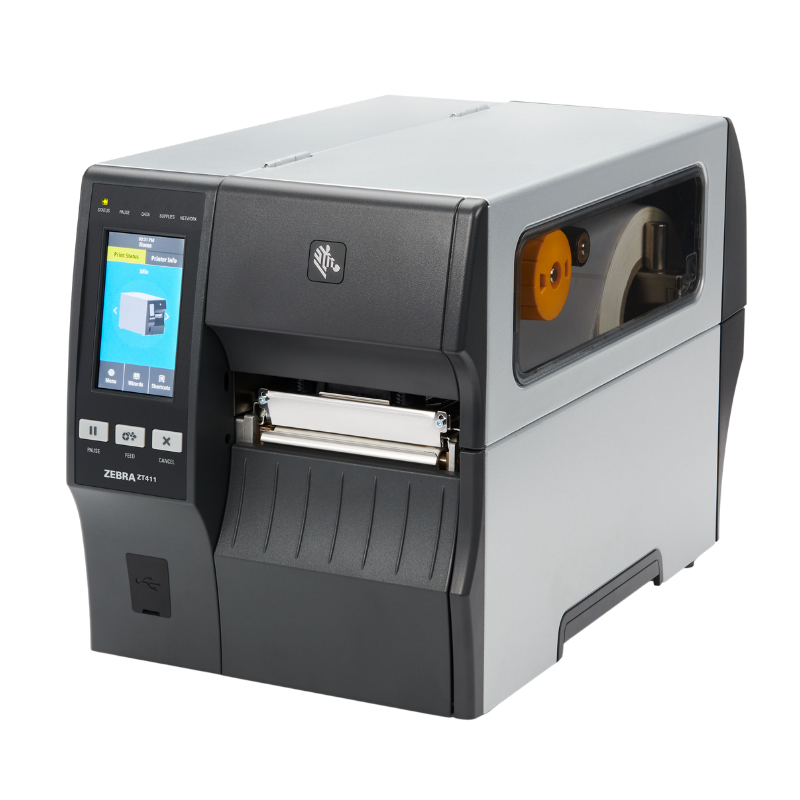
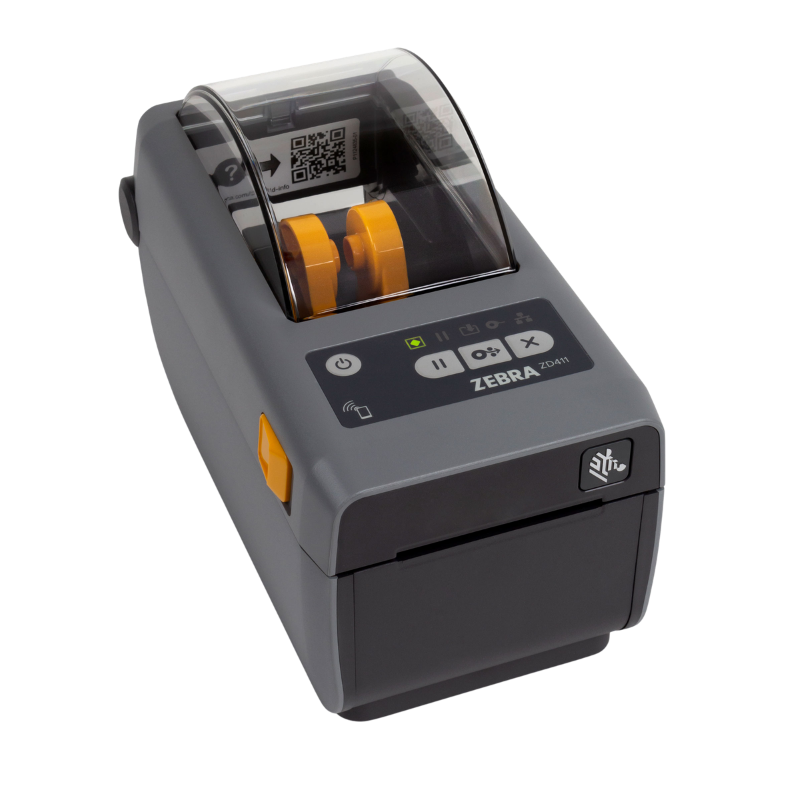
Zebra label printers across ZD desktop, ZT industrial and ZQ mobile series. Print method, resolution and width are fixed at purchase, so specify carefully.
30-Day Return PolicyExcluding consumables
Expert Hardware SupportCompatibility checked before you order
Same-Day ShippingBefore 4 PM ET on in-stock orders
Bulk & Project PricingVolume and multi-location rates
Three things on a Zebra printer are fixed at purchase and cannot be changed later: print method, resolution and print width. Get those right and the rest is configuration. Confirm the exact part number before ordering, since the same family name covers both direct thermal and thermal transfer builds.
How do I choose between Zebra ZD desktop printer models?
The ZD range steps up in build, speed and features as the number rises. Entry models suit light to moderate daily volumes at a workstation, while higher models add faster print, better connectivity options and colour displays. All are desktop class, so none is intended for continuous shift printing. The critical decision within the range is not the tier but whether the specific part number is direct thermal only or supports thermal transfer, since that is fixed at purchase.
How do I tell if a Zebra printer is direct thermal only?
Look at the part number, not the model name. Zebra sells several desktop models in both a direct-thermal-only build and a thermal transfer build under the same family name, distinguished by a letter in the SKU. The direct thermal unit has no ribbon carriage inside and cannot be upgraded later. If you are unsure, send us the part number and we will confirm which build it is before you order, because this is not something that can be corrected after delivery.
Which Zebra ZT industrial printer should I choose?
ZT models are separated by print width, duty cycle and how serviceable they are. Lower-numbered ZT models suit moderate industrial use, while the higher tiers are built for continuous high-volume printing with heavier duty components and more media handling options. Four inch and six inch print widths are the common choices. Specify the widest label you will ever need, since print width cannot be changed after purchase.
What are Zebra ZQ mobile printers used for?
ZQ printers are worn on a belt or shoulder strap and print at the point of work — shelf edge labelling, warehouse putaway, delivery and route sales, and field service. They pair over Bluetooth to a mobile computer or phone, with Wi-Fi available on some models. Print widths are typically two to four inches and most are direct thermal, which keeps the body compact. Battery life and drop rating matter more here than raw print speed.
Should I order a Zebra printer in 203 or 300 dpi?
203 dpi covers ordinary shipping, shelf and carton labelling and prints faster. 300 dpi is needed for small fonts, dense 2D codes, small product labels and anything read by machine vision. Some industrial models offer 600 dpi for very fine work. Resolution is fixed at purchase and cannot be changed later, so if there is any chance of needing small labels, specify 300 dpi at the outset rather than buying twice.
What connectivity options do Zebra printers offer?
Most ship with USB as standard, with Ethernet, Wi-Fi, Bluetooth and serial available depending on model and configuration. On several families, wireless is a factory option rather than something added afterwards, so it must be specified at order. Ethernet is the practical choice for shared and warehouse printers. Confirm your label software supports the printer over the interface you intend to use, since driver support varies by platform.
What is Zebra Link-OS?
Link-OS is Zebra's printer operating system and the software ecosystem around it, covering remote management, configuration and firmware updates across a printer fleet. It is what lets an administrator see printer status, push settings and update firmware without visiting each device. For a single desktop printer it matters little; across dozens of printers in multiple sites it is a significant part of the value, and worth asking about when comparing brands.
How long does a Zebra printhead last and can it be replaced?
Printheads are consumable, rated in kilometres of media printed rather than years, and they are replaceable on industrial models as routine maintenance. Life depends heavily on media quality and cleaning: abrasive or dusty label stock wears a head considerably faster, and adhesive build-up causes voids in barcodes that scanners then fail to read. Regular cleaning is the single most effective thing you can do to extend head life.
Do I have to use Zebra labels and ribbons in a Zebra printer?
No, provided dimensions, core size and roll diameter match. The practical consideration is wear: poor quality stock is more abrasive and shortens printhead life, and inconsistent liner release causes jams. Since the printhead is the expensive consumable, savings on cheap media can be lost several times over. Matched media also removes a variable when troubleshooting print quality, which is worth something on a fleet.
What warranty and service options come with Zebra printers?
Zebra printers ship with a manufacturer warranty whose length varies by family, with printheads and platen rollers covered separately as consumable parts. Zebra OneCare service plans extend coverage and can add faster turnaround and accidental damage protection. For a printer sitting in a production line or a busy dispatch bay, the downtime case for a service plan is usually stronger than the repair cost case. Ask us for the current term and options on the specific model, as these change.
Hardware Selection Support
Not sure which model is right?
Send us what you are trying to do and we will come back with a specific recommendation rather than a catalogue. If you are replacing equipment, a model number or a photo of the existing setup is usually enough to work from.
Solutions experts on staff to answer your hardware questions
30 day return policy, excluding consumables
In-stock items ship same day when ordered by 4:00pm Eastern
Volume and multi-location pricing reviewed on request
Ask a Question
We usually respond within 10 minutes on weekdays.
Choosing a selection results in a full page refresh.