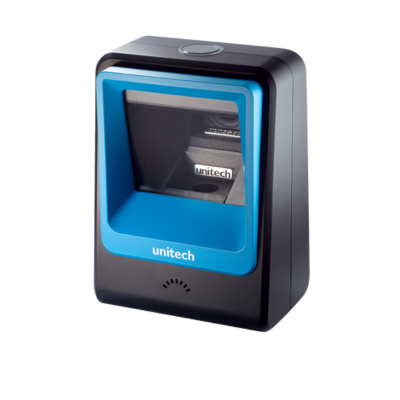
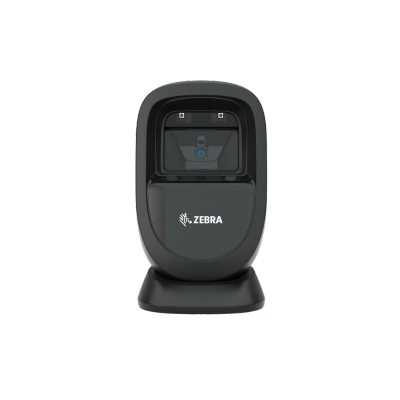
Hands-free scanning saves a second or two per item, which compounds across a queue. Confirm the model is a 2D imager if you accept phone-screen codes, since laser models cannot read screens at all.
What is a presentation scanner?
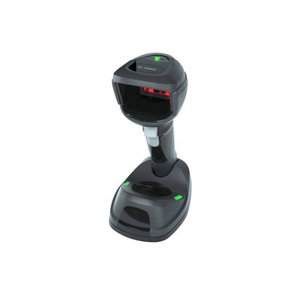
A presentation scanner sits on the counter and reads automatically when an item is held in front of it, leaving both hands free. It is the standard choice for grocery, pharmacy, convenience and any high-volume checkout where items are small enough to be brought to the scanner. Many models can be lifted and used as a handheld for bulky goods, which is worth checking if you sell mixed item sizes.
Is a presentation scanner faster than a handheld?
At a busy counter with small items, noticeably. Removing the pick-up and put-down motion on every item saves a second or two per scan, which compounds across a queue. Handhelds win for bulky, heavy or awkward goods that cannot be lifted comfortably. Many retailers use a presentation scanner as the primary with a handheld alongside, which covers both cases.
Can presentation scanners read phone screens?
The 2D imaging models can, and this is now the main reason retailers upgrade. Digital loyalty cards, mobile coupons and app-based payment codes all arrive on a phone screen, which a laser-based scanner cannot read at all. If you accept any of those, confirm the model is a 2D imager with screen-reading capability rather than assuming. Screen brightness and cracked glass affect reliability, so decode performance varies between models.
How much counter space does a presentation scanner need?
Less than most people expect, but the position matters more than the footprint. It needs to sit where an item can be passed in front of it naturally on the path from the customer to the bag, without staff reaching across. Some models mount on a pole or under a shelf to free the counter entirely. Measure the working area and consider the flow of goods before deciding placement.
Do presentation scanners need special configuration?
Most work immediately as a keyboard wedge over USB with no driver. Configuration is done by scanning setup barcodes, typically to add a prefix or suffix, adjust the sensing behaviour, or change how quickly the same barcode can be re-read to prevent accidental double scans. Confirm the data format your POS expects, as that is the only setting likely to need changing on install.
How long do presentation scanners last?
They live a gentler life than handhelds because they are not dropped, so the usual failure points are the scan window becoming scratched or dirty and cable wear at the connector. Keeping the window clean makes a measurable difference to read reliability. A commercial presentation scanner on a retail counter should run for years, and replacement windows are available on many models.
Hardware Selection Support
Not sure which model is right?
Send us what you are trying to do and we will come back with a specific recommendation rather than a catalogue. If you are replacing equipment, a model number or a photo of the existing setup is usually enough to work from.
Solutions experts on staff to answer your hardware questions
30 day return policy, excluding consumables
In-stock items ship same day when ordered by 4:00pm Eastern
Volume and multi-location pricing reviewed on request
Ask a Question
We usually respond within 10 minutes on weekdays.
Choosing a selection results in a full page refresh.