Print method, resolution and media are what determine whether a label is still readable when it matters. Confirm the printer works with your label software before ordering, then match the class to your daily volume.
What is the difference between direct thermal and thermal transfer label printing?
Direct thermal uses heat to darken chemically treated label stock, so there is no ribbon to buy or replace. It suits labels read within months, such as shipping and picking labels. Thermal transfer melts ink from a ribbon onto the label, producing a mark that survives heat, sunlight, abrasion and years of storage, which asset tags and warehouse labels need. Choosing direct thermal for a long-life label is the most common mistake, and it shows up as blank labels months later.
Do I need a 203, 300 or 600 dpi label printer?
203 dpi handles ordinary text and barcodes at normal sizes and covers most shipping and shelf labelling. 300 dpi becomes necessary for small fonts, dense 2D codes, small product labels and anything read by machine vision. 600 dpi is specialist, used for very small electronics and laboratory labels. Higher resolution prints more slowly, so specify it only where the label actually demands it rather than assuming more is better.
What is the difference between desktop, industrial and mobile label printers?
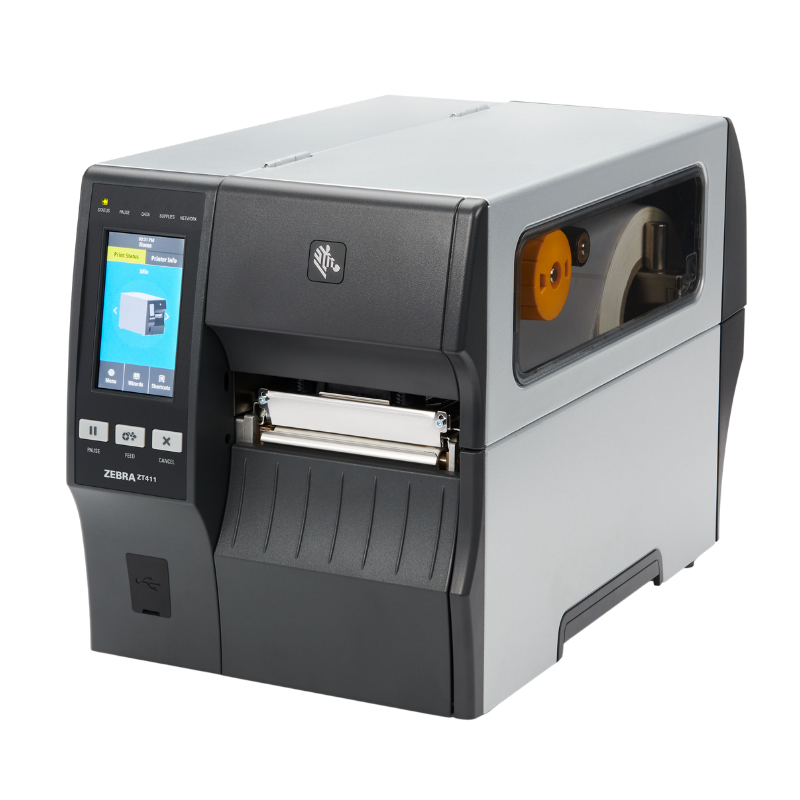
Desktop printers are compact, sit on a counter or workstation and suit a few hundred labels a day. Industrial printers have metal chassis, take much larger media rolls and are built for continuous shift printing. Mobile printers are worn or carried and print on the spot for shelf edge, delivery and field work. The deciding factor is daily volume and where the label is produced, not print quality, since all three can print the same barcode.
How do I know which labels and ribbons fit my printer?
Four measurements decide it: label width, label length, roll outer diameter and core size. A printer rated for a 4 inch width will not take 6 inch media, and a desktop printer cannot accept the large-diameter rolls an industrial printer uses. For thermal transfer you also need the ribbon matched to the label surface, since wax, wax-resin and resin ribbons suit different materials. Measure an actual label rather than working from what a previous supplier called it.
How do label printers connect to a computer or network?
USB suits one workstation. Ethernet is the better choice whenever several people print to the same device, and it is far easier to support remotely. Wi-Fi and Bluetooth suit mobile and cart-based printing. Many industrial models offer several interfaces at once. Confirm your label software supports the connection type before ordering, because some applications only drive printers over specific interfaces or via a particular driver.
Do I need special software to print labels?
It depends where the label comes from. If your WMS, ERP or POS generates labels, it drives the printer directly and you need a compatible driver or native support. If you design labels yourself, you will want dedicated label design software, which handles barcode symbologies and variable data properly. Check the printer appears on your software's supported device list rather than assuming a generic driver will work, since barcode positioning and darkness settings often need printer-specific support.
Hardware Selection Support
Not sure which model is right?
Send us what you are trying to do and we will come back with a specific recommendation rather than a catalogue. If you are replacing equipment, a model number or a photo of the existing setup is usually enough to work from.
Solutions experts on staff to answer your hardware questions
30 day return policy, excluding consumables
In-stock items ship same day when ordered by 4:00pm Eastern
Volume and multi-location pricing reviewed on request
Ask a Question
We usually respond within 10 minutes on weekdays.
Choosing a selection results in a full page refresh.