Zebra's model numbering carries real meaning once you know the pattern, and getting it wrong is expensive — a direct-thermal-only printer cannot be converted, a Wi-Fi-only handheld cannot gain cellular, and accessories rarely cross between families. Always confirm the exact part number against your software's supported list before ordering, since two models a digit apart can behave very differently.
What do Zebra's printer family names mean: ZD, ZT and ZQ?
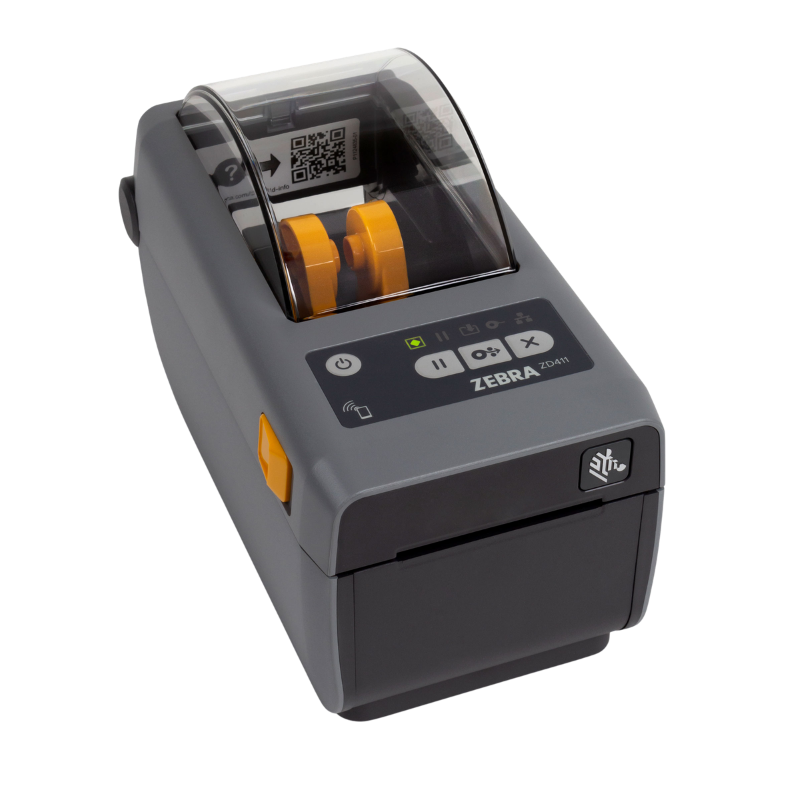
The prefix tells you the class. ZD is desktop, sitting on a counter or workstation for moderate volumes. ZT is industrial, with a metal chassis, larger media capacity and continuous shift duty. ZQ is mobile, worn on a belt and printing over Bluetooth or Wi-Fi. ZE denotes print engines built into applicators on production lines. The number after the prefix generally indicates capability tier, so a ZT411 sits above a ZT111 in features and duty rating.
Which Zebra desktop printers are direct thermal only?
This is the single most common Zebra ordering mistake. Several desktop models ship in both a direct-thermal-only version and a thermal transfer version, distinguished by a letter in the part number rather than by a different model name. A direct thermal unit has no ribbon carriage at all and cannot be converted later. If your labels need to survive heat, sunlight or years of storage, you need the thermal transfer variant. Confirm the exact part number carries thermal transfer capability before ordering, not just the model family.
How do I tell if a Zebra scanner is corded or cordless?
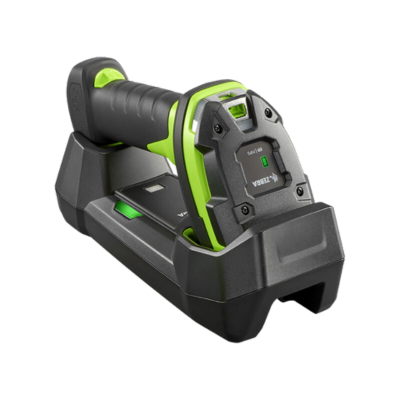
Zebra encodes it in the model number. Across the DS families, a model ending in a lower digit is generally the corded version and its cordless sibling carries a higher one — the DS2208 and DS2278 are the same scanner corded and cordless, as are the DS8108 and DS8178, and the DS3608 and DS3678. The cordless version needs a cradle, which is sometimes sold separately. Check the part number rather than the family name, since the two look nearly identical on a listing.
Which Zebra scanner family suits my environment?
Roughly: the DS2200 series for retail counters on a budget, the DS4600 series for general-purpose retail and office use, the DS8100 series where premium decode speed and phone-screen reading matter, and the DS3600 series for warehouse and industrial use with high drop ratings and extended range. The LI families are laser scanners reading 1D barcodes only, which still suits some warehouse workflows. Match the family to drop risk and read distance first, then compare within it.
What is the difference between Zebra's TC, MC, EC and WT mobile computers?
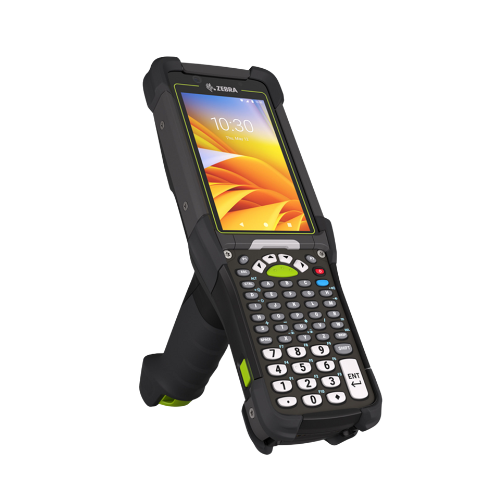
TC series are touch-first handhelds for retail, field and light warehouse work. MC series are the rugged workhorses, often with a physical keypad and pistol grip options, built for heavy warehouse duty. EC series are lightweight and lower cost for frontline retail and hospitality. WT series are wrist-worn wearables, paired with a ring scanner for hands-free picking. Choose by how the device is held and how hard it is treated rather than by processor specification.
Which Zebra mobile computers have cellular as well as Wi-Fi?
Zebra typically offers a Wi-Fi-only model and a Wi-Fi plus cellular sibling within the same family, differing by a digit in the model number. In the TC5x line, for instance, one variant is Wi-Fi only and the other adds WWAN cellular; the TC7x line follows the same pattern. Every model includes Bluetooth as standard for pairing printers and headsets. If devices leave the building — delivery, field service, curbside — specify the cellular variant at purchase, because it cannot be added later.
Which Zebra hardware works in freezers and cold storage?
Standard devices are not rated for sub-zero use, and the failure is rarely dramatic — they simply behave unreliably. Zebra offers dedicated freezer configurations of its rugged mobile computers, which add heated scan windows and displays to stop condensation fogging, sealed housings, and batteries specified for low temperature. The bigger problem is usually condensation forming when a device moves from a freezer into a warm area, which standard units are not designed to shed. If any part of the workflow enters cold storage, specify the freezer variant at purchase rather than trying to make a standard unit cope.
Do labels and printers need anything special for cold storage?
Yes, and the labels matter as much as the printer. Standard adhesive fails at low temperature and labels drop off, so freezer-grade adhesive is required for anything applied to chilled or frozen goods. Labels applied to a warm surface that is then frozen behave differently to labels applied when already cold, so specify which applies. Printers sited in chilled areas also have a minimum operating temperature, so check that before installing one in a cold room rather than assuming.
What is Zebra OneCare and is it worth adding?
Zebra OneCare is Zebra's extended service programme, sold in tiers that broadly increase from basic repair coverage up to plans that include accidental damage and faster turnaround. The case for it rests on two things: repair of rugged hardware out of warranty is expensive, and a device out of service takes a worker with it. For a fleet, the comprehensive tiers covering accidental damage usually pay for themselves, since drops are the normal failure mode. Confirm current tier names, coverage and pricing with us before ordering, as programme details change.
What warranty comes with Zebra hardware as standard?
Zebra products ship with a manufacturer warranty whose length varies by product family — mobile computers, printers, scanners and accessories are not all the same, and batteries and consumable parts such as printheads typically carry shorter separate terms. Standard warranty is return-to-base repair rather than advance replacement, which matters if a failed device would close a lane or stop a picker. Ask us for the specific term on the model you are considering rather than assuming a blanket period across the brand.
How long does Zebra support Android on its mobile computers?
Considerably longer than consumer devices, which is a large part of what you are paying for. Zebra commits to Android OS upgrades and security updates for years beyond a device's release, and publishes support timelines per model through its LifeGuard programme. This matters because your application vendor will specify a minimum Android version, and a device near the end of its support window forces an early refresh. Ask for the stated support end date before standardising a fleet.
Are Zebra batteries, cradles and accessories interchangeable between models?
Generally not across families, and often not even between generations of the same family. Batteries, cradles, boots, holsters and charging bases are model-specific, so an existing stock of accessories rarely carries over to a replacement device. This is worth costing before a fleet refresh, because accessory replacement can add a significant amount on top of the device price. If you are adding to an existing deployment, staying within the same generation keeps spares pooled.
Hardware Selection Support
Not sure which model is right?
Send us what you are trying to do and we will come back with a specific recommendation rather than a catalogue. If you are replacing equipment, a model number or a photo of the existing setup is usually enough to work from.
Solutions experts on staff to answer your hardware questions
30 day return policy, excluding consumables
In-stock items ship same day when ordered by 4:00pm Eastern
Volume and multi-location pricing reviewed on request
Ask a Question
We usually respond within 10 minutes on weekdays.
Choosing a selection results in a full page refresh.