
Zebra Label Size Guide
Find the Right Zebra Labels—Without Guesswork
Match label size, print method, roll core, outside diameter, sensor type, material and adhesive to your exact Zebra printer and application.
How to measure a label
Quick answer
The printer model alone is not enough. Confirm these three things first, then use the full checklist below.
- Measure width and length.
Width runs across the printhead; length follows the feed direction. - Identify the print method.
Direct thermal uses no ribbon; thermal transfer requires one. - Check the roll.
Confirm its core, outside diameter and sensing method.
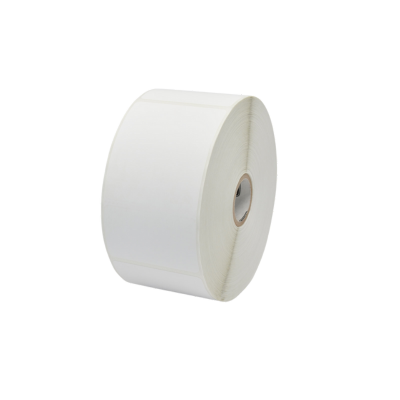
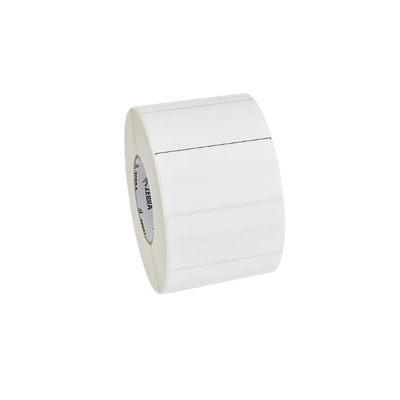
Seven Measurements to Confirm Before Ordering
Measure from left to right across the printhead. Include the liner when checking whether the media fits the printer.
Measure in the direction the label feeds through the printer. This is sometimes called label height.
Direct thermal labels print without ribbon. Thermal transfer labels require a compatible ribbon.
Measure the opening in the center of the roll. Common desktop cores include 0.5 inch and 1 inch; larger adapters may support 1.5, 2 or 3 inches.
Measure the complete roll from edge to edge. Many Zebra desktop printers accept rolls up to 5 inches outside diameter.
Confirm whether the media uses a gap, notch, black mark or continuous stock so the printer can locate each label correctly.
Match paper or synthetic material and permanent, removable, freezer or specialty adhesive to the actual surface and environment.
Direct Thermal or Thermal Transfer?
Choosing the print method is the most important decision after physical size. The wrong method can leave you with labels that will not print at all.
Direct Thermal Labels
- Best for shipping, receiving, retail pricing and short-term inventory
- Simple loading with fewer consumables
- Not ideal for long exposure to heat, sunlight, abrasion or chemicals
Thermal Transfer Labels
- Best for durable identification and longer label life
- Supports paper, polypropylene, polyester and other synthetics
- Better resistance to moisture, abrasion, heat and chemicals
Common Zebra Label Sizes and Applications
Small inventory, shelf, component, bin and asset-identification labels.
Retail pricing, product identification and compact barcode labels.
Warehouse locations, cartons, work-in-process and general inventory labels.
Product, carton, compliance, pallet and warehouse inventory labels.
Larger carton, receiving, pallet and location-identification labels.
UPS, FedEx, USPS, ecommerce and general shipping labels.
These are common applications, not universal rules. Your software template, barcode density, required text, printer width and compliance standard determine the final size.
Zebra ZD411, ZD421 and ZD621 Media Guidance
Always use the complete model number—not only the printer family—because print method, resolution, RFID, cutter and peeler configurations affect compatibility.
ZD411
2-inch desktop family
Use narrow media designed for the supported print width. Confirm sensing method, core and roll diameter.
Compare a current ZD411 configuration →ZD421
4-inch desktop family
Direct-thermal, thermal-transfer and ribbon-cartridge versions have different requirements. Zebra lists a 5-inch maximum roll outside diameter for common configurations.
Open the ZD421 media guide →ZD621
Premium 4-inch desktop family
Available in direct thermal, thermal transfer, RFID, healthcare, cutter and peeler configurations. Match the full part number before ordering.
Compare a ZD621 300-dpi model →How to Match a Thermal Transfer Ribbon
Wax
Economical for routine barcode printing on general paper labels.
Wax / Resin
Added abrasion and moisture resistance for coated paper and many synthetics.
Resin
For demanding synthetic applications involving chemicals, abrasion, heat or outdoor exposure.
- Ribbon width: Use a ribbon at least as wide as the label and liner so the printhead is protected.
- Ribbon length and core: Match the printer's supported ribbon length, core diameter and winding direction.
- Wax: Economical choice for general paper labels and routine barcode printing.
- Wax/resin: Adds abrasion and moisture resistance for coated paper and many synthetic labels.
- Resin: Best for demanding synthetic-label applications involving chemicals, abrasion, heat or outdoor exposure.
- Ink side: Confirm whether the printer requires coated-side-in or coated-side-out ribbon.
For more detail, use the labels and ribbons buying guide.
Adhesive and Environment Checklist
- What surface will receive the label: corrugated cardboard, glass, metal, plastic, painted material or a curved container?
- Will the label be applied at room temperature, in a freezer or in a refrigerated environment?
- Will it encounter moisture, chemicals, abrasion, UV light, heat or outdoor weather?
- Does it need permanent adhesion, clean removal, tamper evidence or repositionability?
- How long must the barcode and printed text remain readable?
Printer Resolution and Barcode Size
Before You Order
- Record the complete Zebra printer model and part number from the bottom or rear label.
- Measure the existing label width, length, core and roll outside diameter.
- Confirm direct thermal or thermal transfer operation.
- Identify gap, black-mark, notch or continuous sensing.
- Describe the surface, temperature, exposure and expected label life.
- Confirm whether your software requires an exact label size or approved media SKU.
Need Help Matching Zebra Labels?
Send ShopPOSPortal the complete printer model, current label dimensions, core size, roll diameter, application and environment. We can help identify compatible Zebra labels, ribbons and replacement media.
Ask a hardware specialist | Shop Zebra labels | View Zebra label printers
Frequently Asked Questions
How do I know whether a Zebra label is direct thermal?
Scratch the printable surface firmly with a fingernail. Direct thermal stock normally produces a dark mark from friction-generated heat. Thermal transfer stock generally does not and requires ribbon.
Can I use a smaller label in a 4-inch Zebra printer?
Usually, if the media width, guides, sensing method and minimum specifications are supported by that exact printer. Centering, sensor position and calibration may need adjustment.
Why does the printer skip labels?
The printer may be calibrated for the wrong sensing method, the movable sensor may not align with the gap or black mark, or the label dimensions may be configured incorrectly in the driver or software.
Does ribbon need to be wider than the label?
The ribbon should cover the full width of the label and liner that passes under the printhead. This helps protect the printhead and provides consistent coverage.
Are all 4 × 6 labels interchangeable?
No. The size can match while the core, roll diameter, winding direction, sensing method, adhesive, material or print method does not. Match every media specification, not only width and length.
Technical reference: Zebra ZD421 Technical Specifications and Zebra Certified Supplies Guide. Specifications vary by exact printer configuration; verify the full model number before ordering.